Use your favorite AI. Get results that don’t look AI-generated! From design to development, all through conversation.
Zaemit is starting a new chapter with the AI-powered zaemit.ai. Try it today!
Use your favorite AI. Get results that don’t look AI-generated! From design to development, all through conversation.

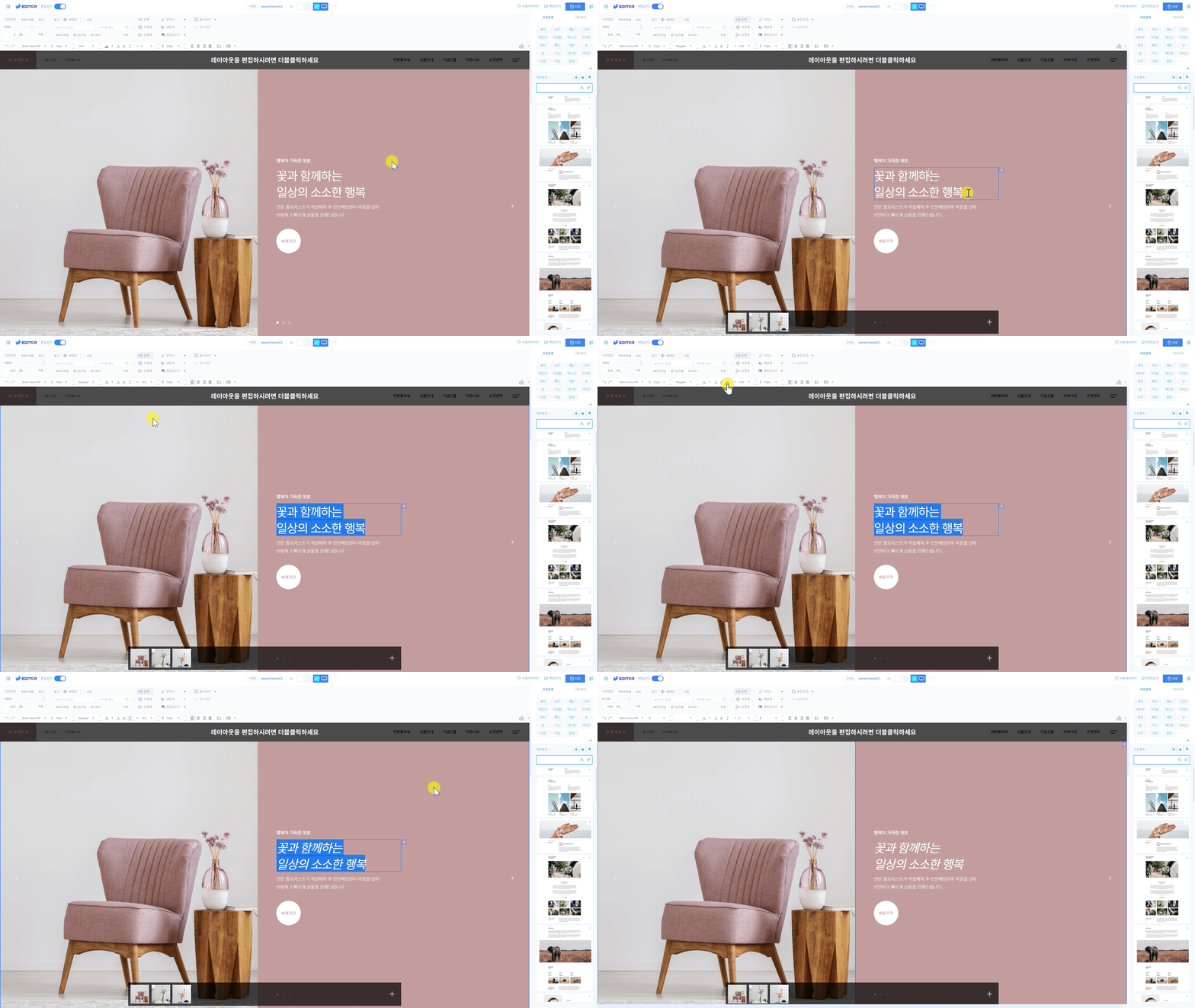
텍스트를 기울이는 방법
- 텍스트 요소를 클릭합니다.
- 텍스트를 기울일 영역을 선택합니다.
- 기울이기 버튼
 을 클릭하거나, 키보드에서 CTRL + I 키를 누릅니다.
Zaemit Tip !
기울이기 버튼을 다시 클릭해 기울이기 효과를 제거할 수 있습니다.
도움말을 통해 문제를 해결하지 못하셨나요?
1:1 문의를 남겨주시면 빠르고 정확하게 도와드릴게요.
1대1 문의 바로가기
1:1 문의를 남겨주시면 빠르고 정확하게 도와드릴게요.

Weven Co., Ltd.
Address: (Sejong Head Office) Room 401, Building U, Industry-Academic Cooperation Building, 2639 Sejong-ro, Jochiwon-eup, Sejong Special Self-Governing City
(Seoul Branch Office) Room 319, Building B, High-tech Industry Center, 330 Seongam-ro, Mapo-gu, Seoul
(Eunpyeong Branch Office) 11-1, Yeonseo-ro 34-gil, Eunpyeong-gu, Seoul (Bulkwang-dong, Eunpyeong Startup Support Center)
(Gwangju Branch Office) 193-12, Geumnam-ro, Dong-gu, Gwangju, Room 503 (Geumnam-ro 4-ga, Gwangju AI Startup Camp Room 2)
Representative name: Kim Jeong-hwan
Business registration number: 589-81-02761
Mail order business report number: 2022-Asan, Chungnam-1090
COPYRIGHT WEVEN CORP. ALL RIGHTS RESERVED

